They don’t know where to go.
Someone finds you mid-stream, enjoys the run and has nowhere obvious to go when you log off. A clear Discord link with a clear first step gives them a place to start.
 JOEY
GTA VI · Creator communities
Your stream can bring people in. Give them somewhere to connect when it ends. Joey builds Discord communities designed for the moments between your streams.
Discord setup and community support for Twitch, Kick and YouTube creators. Content clipping available as a separate service.
Rockstar has announced GTA VI for November 19, 2026 on PlayStation 5 and Xbox Series X|S.
your community
The moment
Not every viewer will join a Discord, and they don’t need to. The ones who want more should find a clear way in. Three situations come up again and again:
Someone finds you mid-stream, enjoys the run and has nowhere obvious to go when you log off. A clear Discord link with a clear first step gives them a place to start.
Twenty channels and three of them used. People join, look around and leave. Joey rebuilds around what your members actually use and keeps what already works.
More viewers bring more questions, more spam and more moments that need a decision. Onboarding, moderation routes and clear owners keep it manageable for you and your mods.
What Joey builds
Setup delivered once and handed over Ongoing needs someone to keep doing it
Discord onboarding questions, a #start-here channel and one clear first step for every new member.
A structure based on what your community does. On an existing server, Joey keeps what works and cuts what doesn’t.
Stream alerts in a dedicated channel, where a reliable integration exists for your platform.
Stream-night threads and recurring events. The plan is part of setup; running them every week is ongoing work.
Rules people read, AutoMod, clear staff roles and an escalation path, so every report has an owner.
Written notes on how everything works, so you and your mods can run it without Joey.
Optional, and only inside a written monthly scope: set hours, coverage windows, events and moderation duties.
Ways to work together
Every option starts with a discovery call and a written scope. Pricing is quoted after the call, once the scope is clear.
Creator Starter
Breakout Ready Most complete
Community Partner
Proof
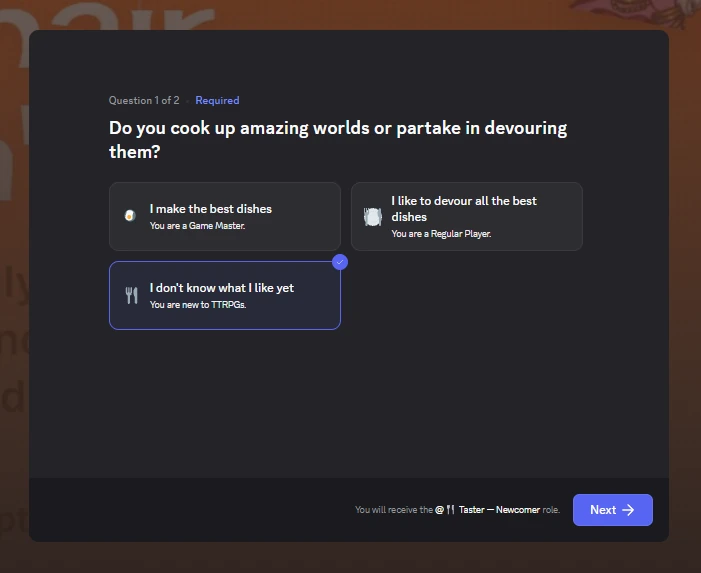 Client project · delivered October 2026
Guildstew
A Discord built for a Kickstarter community: onboarding, backer access, support routes, feedback forums with status tags, and a staff playbook with a 14-day engagement plan at handoff.
Why it transfers: viewers arriving from a stream need what backers needed. A clear way in, a place to ask, and a team that knows what to do.
Read the Guildstew case study ↗
 Community leadership project · Executive Director · 2025–26
Project Aurora
A cold launch from 9 messages on day one to 2,508 messages a day by day 14, with onboarding designed to give each newcomer a first real interaction within 24 hours.
Why it transfers: a launch spike fades unless people have something to do on day two. Aurora was built for day two.
Read the Aurora case study ↗
“Honestly if you need help setting up online server communities, [Joey] is truly the best you could ever get.”
 Bojana “Boky” MilenkovicCEO, Aetherian Studios · Guildstew client
Process
You keep ownership of your server. Joey works through a role you grant.
FAQ
No. If you stream regularly and want a clear home for the people who already show up, it is worth doing. Audience size changes how much moderation the setup needs, not whether it is useful.
Joey starts from it. He looks at what your members actually use, keeps what works and repairs the rest. You don't have to start over, and you keep the server.
No. GTA VI is a moment when a lot of viewers go looking for new creators. The community you build works for whatever you stream next.
That depends on the scope and on Joey's availability when you get in touch. The timeline is written into your scope before any work starts, so you know before you commit.
Not by default. Joey sets up moderation roles, AutoMod and escalation routes, and can help you recruit and train moderators as part of a scoped project. Live moderation coverage is only available inside a separately scoped Community Partner agreement.
Only what your written monthly scope lists: hours, coverage windows, number of events and moderation duties. Anything else is agreed separately.
Yes. You keep ownership of your server, and Joey works through a role you grant.
Yes, as a separate service: short clips from your streams for TikTok, Instagram Reels and YouTube Shorts. It is scoped and quoted on its own, outside the three Discord options.
No, and nobody honestly can. Joey builds the structure that gives viewers a way and a reason to take part between streams. How many of them join depends on your content and your audience.
Or write directly: joey@joeyinsync.com · Discord: joeyinsync